
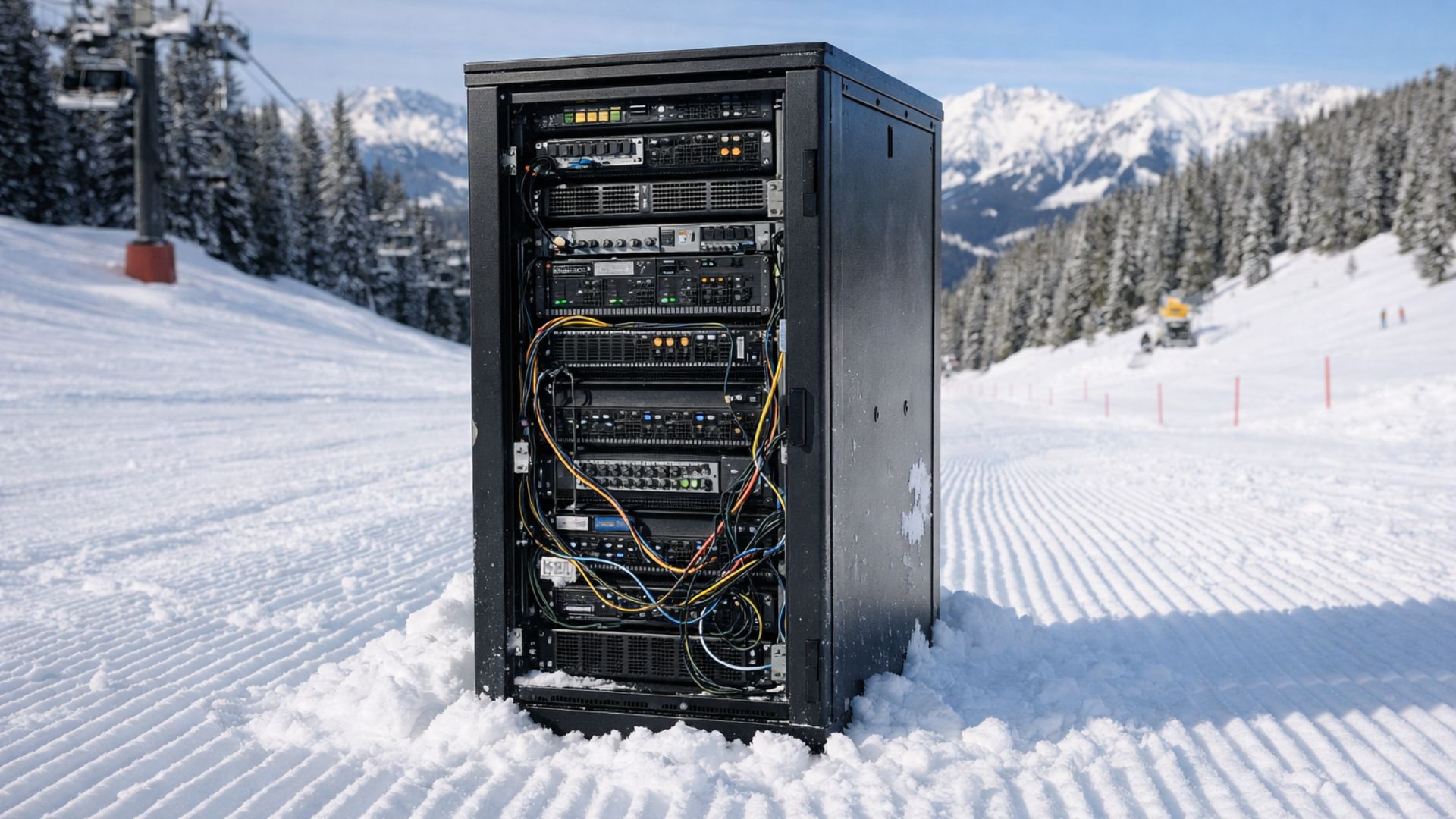
Legacy, on-premise resort technology stacks come with real costs. Not just the obvious ones like hardware and licenses, but the ongoing operational drag that quietly compounds year after year. This post breaks down those costs in plain terms, comparing traditional systems built on Windows Server and Microsoft SQL Server with SnowCloud, a modern, cloud-native SaaS platform.
The goal here is not to oversell SnowCloud or to catalog every benefit of moving to the cloud. Instead, it’s to make the underlying economics visible. We focus on the true cost drivers of legacy architectures, the operational burdens they introduce, and the measurable savings that come from eliminating on-prem infrastructure altogether. While SnowCloud delivers far more than cost reduction including unified architecture, real-time data access, improved guest engagement, and scalable commerce those advantages deserve their own deep dive. This post is about understanding the financial reality of legacy systems and why the SaaS model changes the math.
Table of Contents
- Cost-Saving Categories
- Capital Expense (CapEx)
- Operational Expense (OpEx)
- Scalability & Efficiency Gains
- Hidden Long-Term Savings
- Conclusion
Cost-Saving Categories
Transitioning from a legacy system to a modern SaaS platform introduces savings across several major categories. These savings extend beyond simple infrastructure reduction and they reshape how resources are allocated, managed, and scaled over time. The following categories will be used to detail the primary areas of financial impact:
- Capital Expense (CapEx) Reductions
- Operational Expense (OpEx) Savings
- Scalability & Efficiency Gains
- Hidden Long-Term Savings
Capital Expense (CapEx) Reductions
Legacy environments demand significant up-front investment in physical servers, networking equipment, and software licensing. Many of these costs may also hit operating expenses (OpEx). By eliminating these capital expenditures, organizations convert large, cyclical investments into steady operational costs that scale with usage. The SaaS model of SnowCloud replaces these with a predictable subscription model, removing the need for:
On-Premise Server Hardware
Legacy architecture environments usually rely on dedicated physical servers and supporting components to host application, database, and backup functions. These systems require up-front purchase, configuration, and ongoing replacement every few years.
Typical Capital Costs Include:
- Rack-mounted application servers and SQL database servers
- RAID storage arrays and SAN/NAS units
- Redundant power supplies and UPS systems
- Server racks, cabling, and cooling systems
- Physical space build-out for data closets or server rooms
Data Protection Costs
On-prem environments depend on locally managed solutions for data backup, recovery, and disaster readiness. These require dedicated hardware and recurring media replacement.
Typical Capital Costs Include:
- Backup appliances and storage
- Backup management software licenses and maintenance contracts
- Replication servers or disaster recovery hardware
- Offsite or cold-storage media for data retention
- Replacement and testing of aging media or hardware
Networking Infrastructure Costs
Legacy systems demand robust internal and perimeter networking hardware to support secure remote access, load balancing, and connectivity between multiple servers and sites.
Typical Capital Costs Include:
- Physical firewalls and security appliances
- Load balancers and routing equipment
- Dedicated VPN concentrators or remote desktop gateways
- Managed switches and high-capacity routers
- Patch panels, cabling, and rack enclosures
- Licensing or subscriptions for network management tools
Security Costs
Maintaining security in a self-hosted environment requires investment in local protection systems, monitoring tools, and periodic upgrades to remain compliant and resilient.
Typical Capital Costs Include:
- Endpoint antivirus or malware protection servers
- On-prem intrusion detection and prevention systems (IDS/IPS)
- Local security information and event management (SIEM) appliances
- Security audit tools and compliance testing software
Server Licensing
On-prem environments running databases on Windows Servers and Microsoft SQL Server require expensive software licenses, which represent recurring expenses tied to the database layer.
Typical Capital Costs Include:
- Microsoft SQL Server Standard or Enterprise edition licenses
- Client Access Licenses (CALs) for every user/workstation or Per Core Licenses
- Annual Software Assurance or version upgrade programs
- Server OS licenses for SQL and application hosting
- License compliance tracking and audit
Desktop Client Installation and Licensing
Each workstation in a legacy setup must have compatible software, runtime dependencies, and operating system licenses to run the thick-client version of legacy software.
Typical Capital Costs Include:
- Windows PC hardware with sufficient performance specs
- Microsoft Windows and Office licenses
- Application thick-client installation and version control
- Local runtime and dependency management tools (.NET, ODBC, etc.)
- Imaging or deployment software for client maintenance
CapEx Refresh Cycles
Legacy infrastructure requires periodic refreshes to keep hardware and software under warranty and supported by vendors. These refresh cycles occur every 3–5 years and involve significant capital reinvestment.
Typical Capital Costs Include:
- Replacement of aging servers, storage, and network devices
- Operating system and SQL Server version upgrades
- Data migration tools and testing environments
- Hardware decommissioning, recycling, or disposal costs
- Professional services for implementation and cutover

Operational Expense (OpEx) Savings
Legacy application environments carry ongoing operational costs tied to system maintenance, IT staffing, patching, and infrastructure management. These expenses continue year after year as resorts support hardware, software, and network dependencies across multiple locations. Many of these costs increase over time due to hardware aging, version compatibility issues, and rising licensing fees.
The SaaS model of SnowCloud eliminates much of this recurring overhead by delivering a fully managed, cloud-hosted platform. With no local servers to maintain and no manual updates to deploy, resorts benefit from lower staffing requirements, built-in security and backups, and reduced downtime. This shift converts unpredictable maintenance cycles into a consistent and transparent operational expense, removing the need for:
Hardware & Infrastructure Maintenance
Legacy architecture depends on a network of physical servers, storage arrays, and network hardware each requiring continuous upkeep to ensure reliability and performance. These assets not only introduce high capital costs at purchase but also generate significant ongoing operating expenses tied to maintenance, energy consumption, and facility management.
Over time, this hardware requires regular inspection, replacement of failing components, and periodic upgrades to maintain compatibility with evolving software and security standards. Resorts are also responsible for providing the physical environment to support these systems, including conditioned power, cooling, and protected network enclosures, all of which add measurable cost and complexity to operations.
Typical Operating Costs Include:
- Maintenance and support contracts for servers, storage devices, and networking gear
- Replacement of failed components such as drives, fans, and power supplies
- Electrical and cooling costs for maintaining 24/7 server operation
- Periodic hardware diagnostics, performance testing, and firmware updates
- Physical security and facility costs for data rooms or server enclosures
- Downtime or lost productivity during maintenance or equipment replacement
By contrast, SnowCloud’s SaaS model eliminates these ongoing infrastructure burdens. All hosting and performance optimization are handled within the cloud environment, ensuring continuous uptime and scalability without the operational overhead or expense of maintaining physical infrastructure.
User Support and Training
Legacy thick-client systems often introduce peripheral, configuration, and installation issues, leading to frequent support calls and user training needs.
Typical Operational Costs Include:
- Help desk time for client troubleshooting and reinstallations
- Local configuration of printers, workstations, and network permissions
- Reduced efficiency due to inconsistent user experiences
Monitoring, Security, and Compliance Management
Ongoing security oversight, log monitoring, and compliance reporting are required to maintain system integrity in on-prem deployments. These tasks demand specialized skills and continuous attention.
Typical Operational Costs Include:
- Staff time for security audits and system log reviews
- Manual patching of OS and application vulnerabilities
- Subscription renewals for security and intrusion detection tools
- External security testing or third-party audit services
System Updates and Patching
On-premise environments depend on manual scheduling and testing of updates for Windows, SQL Server, and application components. Each update carries risk and requires controlled deployment windows, often after hours or during off-peak seasons.
Typical Operational Costs Include:
- Time and labor for planning and executing updates
- Test environment setup and validation for each release
- Compatibility checks across servers, clients, and integrations
- Reversion or rollback procedures for failed updates
Backup and Disaster Recovery Management
Maintaining a reliable backup and recovery process for on-prem systems demands continuous monitoring, testing, and manual intervention. Ensuring compliance and uptime adds additional resource requirements.
Typical Operational Costs Include:
- Staff time to perform and verify frequent, daily, weekly, and monthly backups
- Monitoring of backup storage capacity and health
- Periodic test restores and data validation exercises
- Offsite replication configuration and maintenance
- Vendor support contracts for backup software and storage
Scalability & Efficiency Gains
Legacy on premise environments were designed for a fixed, on-premise model that requires significant infrastructure planning and manual coordination to handle business growth, seasonal demand, and integrations. These systems are difficult to scale efficiently resulting in excess capacity during low-demand periods and performance constraints during peak seasons.
The SnowCloud SaaS platform eliminates these limitations to streamline operations and reduce administrative overhead. This shift not only improves system performance and agility but also enhances the accuracy and speed of commerce, product setup, and fraud prevention across the resort ecosystem.
Elastic Scalability vs. Fixed Infrastructure
Legacy infrastructure must be built to handle peak loads, such as holiday periods or high-volume sales events. This results in costly over-provisioning servers, storage, and network resources that sit idle for much of the year. Expanding capacity requires capital investment and extended setup cycles.
In contrast, SnowCloud’s SaaS environment provides true elastic scalability. Resources can be scaled up or down to match real-time demand, ensuring consistent performance and availability without the need for hardware expansion or any downtime.
Typical Legacy Limitations Include:
- Fixed server capacity requiring over-provisioning for seasonal peaks
- Manual configuration and long lead times for performance scaling
- High operational cost for maintaining unused infrastructure
- Downtime or degraded service during unexpected surges
Unified Product and Customer Management
Legacy systems often require separate configuration of products and services across multiple channels; POS, eCommerce, call centers, and partner integrations. This leads to duplication, errors, and slow go-to-market cycles. Often changes in these disparate systems aren’t fully configurable by the resort and a vendor must be contacted for desired configuration changes, thus significant delays can occur.
SnowCloud unifies this process through a single admin console for managing all products, services, and entitlements across in-person and digital sales channels. A modern product variant structure supports flexible offerings (e.g., date-based, quantity-based, or package-based products) while maintaining data consistency.
The platform’s entitlement framework improves how purchases are validated, redeemed, and tracked allowing resorts to offer dynamic discounts, resolve service issues efficiently, and gain a comprehensive view of each customer’s journey.
Typical Legacy Limitations Include:
- Duplicate product setup across multiple systems or sales channels
- Synchronization between POS and eCommerce systems
- Limited ability to manage bundled product packages or product variants
- Inconsistent tracking of guest entitlements and usage history
Integration Capability
Legacy systems typically depend on static SQL queries or ODBC-based integrations that are brittle, security vulnerabilities, and difficult to maintain. These point-to-point connections limit interoperability and make it challenging to adopt new third-party tools or services.
SnowCloud’s SaaS architecture is API-first, designed for seamless integration and extensibility. This enables faster innovation, smoother partner onboarding, and consistent data exchange across systems.
Typical Legacy Limitations Include:
- Custom SQL or ODBC integrations prone to failure during upgrades
- High development costs for maintaining multiple data pipelines
- Limited ability to integrate with modern cloud or mobile services
- Lack of real-time data synchronization across business systems
- Minimal or non-existent APIs, limiting data accessibility and modern integrations
- Outdated, monolithic architecture resulting in slow performance and limited scalability
- Poorly designed data structures that make reporting and analytics inefficient
Integrated Fraud Detection and Chargeback Tools
Legacy payment systems rely heavily on manual review processes or third-party services for fraud detection and chargeback resolution, often resulting in delayed responses and higher financial losses.
SnowCloud incorporates industry leading capabilities powered by Stripe with built-in fraud detection and chargeback management tools that proactively flag suspicious transactions in real time. Automated alerts and centralized case management enable faster investigation and resolution. When chargebacks occur the system automatically revokes entitlements and assembles a complete case package including proof of product usage or redemption to streamline dispute submission.
Typical Legacy Limitations Include:
- Manual or reactive fraud review processes
- Disconnected payment, ticketing, and redemption data
- Limited visibility into transaction history across systems
- High chargeback loss rates due to incomplete or delayed documentation
Hidden Long-Term Savings
Beyond the immediate reductions in capital and operational expenses, moving from a legacy environment to the SnowCloud SaaS platform unlocks a series of hidden long-term savings. These benefits are realized through reduced staff effort, simplified vendor management, and faster access to innovation, all of which contribute to a lower total cost of ownership (TCO) over time.
Legacy systems inherently create inefficiencies through complex upgrades, fragmented vendor dependencies, and support-heavy interfaces. The SnowCloud model replaces these with a unified, continuously improving platform that minimizes disruption and maximizes efficiency across teams and business units.
Reduced Training & Support Overhead
Legacy environments rely on desktop client applications that often require individual workstation configuration, user training, and continuous troubleshooting. Each Windows update, driver change, or security patch can create compatibility issues leading to downtime, inconsistent user experiences, and higher support costs.
SnowCloud simplifies this through a unified browser-based interface and mobile-first design, eliminating client installation, configuration, and version control challenges. This modern approach dramatically reduces the volume of IT tickets and training requirements, while providing a consistent experience across all devices and users.
Typical Long-Term Savings Include:
- Decreased help desk workload from client installation and configuration issues
- Reduced training time for new or seasonal staff due to intuitive, modern UI
- Elimination of workstation compatibility troubleshooting (drivers, OS patches, permissions)
- Lowered cost of maintaining multiple software versions across departments
- Improved user adoption and productivity due to consistent, web-based workflows
Faster Innovation Cycle
Legacy upgrade cycles often require substantial planning, testing, and downtime to roll out new functionality. These upgrades can take weeks or months to implement, delaying access to important features and security improvements. The process often requires extensive IT involvement, vendor coordination, and carefully scheduled after-hours maintenance windows, adding both direct and indirect costs. In many cases, even seemingly minor enhancements or fixes within legacy tech stacks demand months of planning and cross-team coordination spanning infrastructure providers, software vendors, database administrators, and resort IT staff. Each dependency in the stack (Windows Server, SQL, application layer, POS, and integrations) must be aligned and validated before any change can safely be deployed. This creates a fragile, slow-moving environment where innovation is stifled, maintenance cycles are prolonged, and costs multiply simply to keep systems operational.
SnowCloud’s SaaS architecture enables continuous delivery of new features, updates, and security patches without disrupting operations. This ensures that every resort is always on the latest version of the software eliminating upgrade projects, downtime, and re-training efforts associated with legacy systems.
Typical Long-Term Savings Include:
- No-cost upgrades with automatic rollout of new features
- Elimination of scheduled downtime or maintenance windows for updates
- Reduced IT involvement in testing and deployment cycles
- Immediate access to innovation across all resort business lines simultaneously
- Faster response to changing business needs or market opportunities
Consolidated Vendor Relationships
In legacy environments, each functional area of servers, databases, backups, networking, and security requires separate vendor contracts, renewals, and support agreements. Managing these relationships introduces administrative overhead, fragmented accountability, and unpredictable costs across departments.
SnowCloud consolidates these into a single SaaS agreement covering hosting, database management, backups, security, and ongoing support. This simplification reduces administrative workload, streamlines procurement, and provides predictable, all-inclusive pricing for easier financial planning and forecasting.
Typical Long-Term Savings Include:
- Elimination of multiple vendor renewals and maintenance contracts
- Simplified budgeting with a single predictable subscription model
- Reduced administrative time spent managing invoices, renewals, and compliance audits
- Clear accountability with one vendor responsible for uptime, support, and performance
- Lower total vendor management overhead across IT and finance departments

Conclusion
Legacy, on-premise technology stacks often remain in place for years because they work well enough. What’s less visible is how their cost structure and operational demands compound over time. As this analysis illustrates, those impacts extend beyond infrastructure and licensing into staffing, scalability, security, and day-to-day efficiency.
If you’re interested in taking a closer look at the true cost of your current environment or want to learn more about how a modern, cloud-native platform like SnowCloud compares, the SnowCloud team is available to help analyze your situation and answer questions.
