
 AI Document Summary
This document covers the setup workflow for taxes and fees in SnowCloud. Each tax or fee can be applied as a fixed amount or as a percentage of the transaction to ensure accurate accounting on every sale.
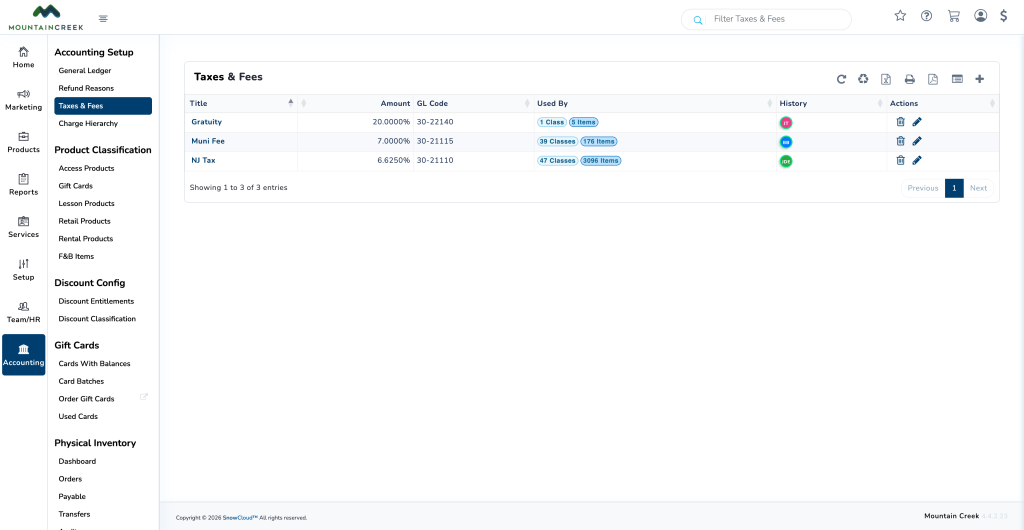
CREATING A NEW TAX OR FEE #
To create a new tax or fee:
- From the left-side menu, select Accounting
- Under the Accounting Setup section, select Taxes & Fees
- Press the plus (+) button in the top-right corner to create a new entry
- Fill in the following fields:
- Tax/Fee Type — select Tax or Fee from the dropdown
- GL Code Link — select the General Ledger account associated with this tax or fee
- Charge Type — select whether the charge is a fixed amount or a percentage of the transaction
- Amount — enter the fixed amount or percentage value
- Title — the name of the tax or fee
- Select Save New Tax/Fee