
 AI Document Summary
This document covers the setup workflow for product classifications in SnowCloud. Product classifications are used to categorize products, allowing similar products to be grouped together for reporting purposes.
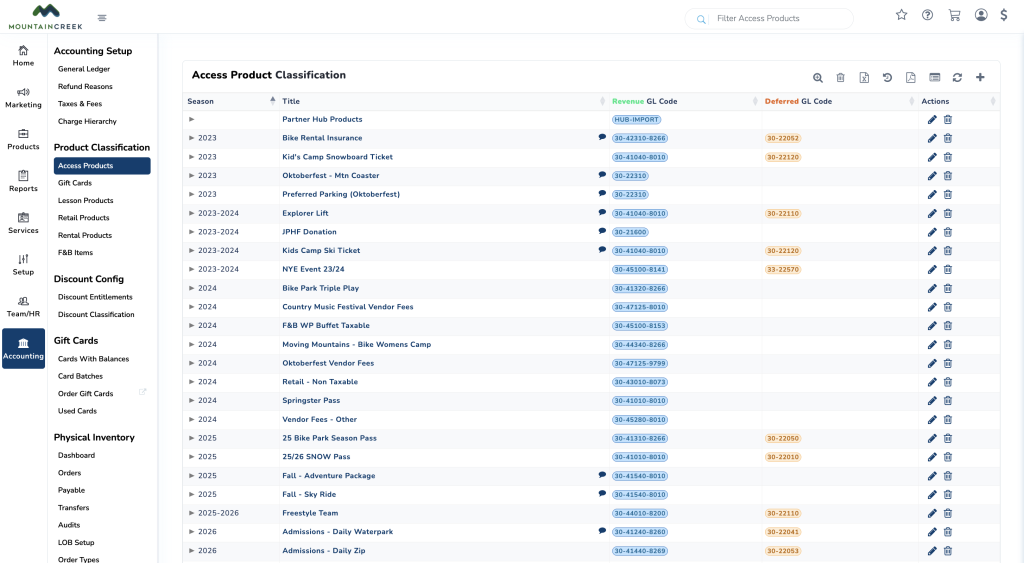
UNDERSTANDING PRODUCT TYPES #
Before creating any new product classifications, it’s important to understand the different product types available in SnowCloud. Each classification must be created under the appropriate product type. Product types include:
- Access Products — grant access to specific areas or activities (for example, lift tickets or trail passes)
- Subscription Plans — recurring services or access (for example, season passes or memberships)
- Gift Cards — sell gift cards redeemable for products or services
- Lesson Products — sell lessons or classes at the operation
- Retail Products — sell physical goods at the operation
- Rental Products — rent equipment or gear at the operation
- F&B Products — sell food and beverage items at the operation
- Discount Entitlements — offer discounts on products or services
CREATING A NEW PRODUCT CLASSIFICATION #
To create a product classification:
- From the left-side menu, select Accounting
- Locate the Access Product section and select the product type that best suits the new classification
- Press the plus (+) button in the top-right corner
- Fill in the following fields:
- Season — the time period for which the classification is valid. For products available across multiple seasons, select Any
- Class Title — the internal name of the classification. This appears in the system but is not visible to guests
- Class GL Code — select the GL code associated with this classification from the dropdown
- Description (optional) — additional context for other administrators
- Pass-along Credit Card & SnowPay Fee (CCSP) to Consumer (optional) — enable this setting to pass credit card and SnowPay processing fees along to the guest at checkout
- Additional fields — depending on the product type selected, additional fields may be available. For example, Access products include an Activities field
- Select Save New Class